Application
Myrhem
Website, booking platform and editing tools for a guest house in Värmland.

The question
A visitor wants to get to know the house and find out when it is available, what it costs and how to request a stay.
My contribution
I made the visual identity, web design, front end, back end and booking management. My brother and sister-in-law provide the photography. I use AI for automatic translations when adding languages.
The design choice
The calendar and pricing belong to the same website as the house presentation. The owner edits content directly on the page.
The result
By 18 October 2026, five direct bookings had come in through the website. My brother and sister-in-law use the system daily. I still manage the back end.
Explore the house and request a stay
I wanted to give my brother and sister-in-law more than a website to show the house: they also needed a way to manage bookings and their guests. By 18 October 2026, five direct bookings had come in through the site. These are the main screens.
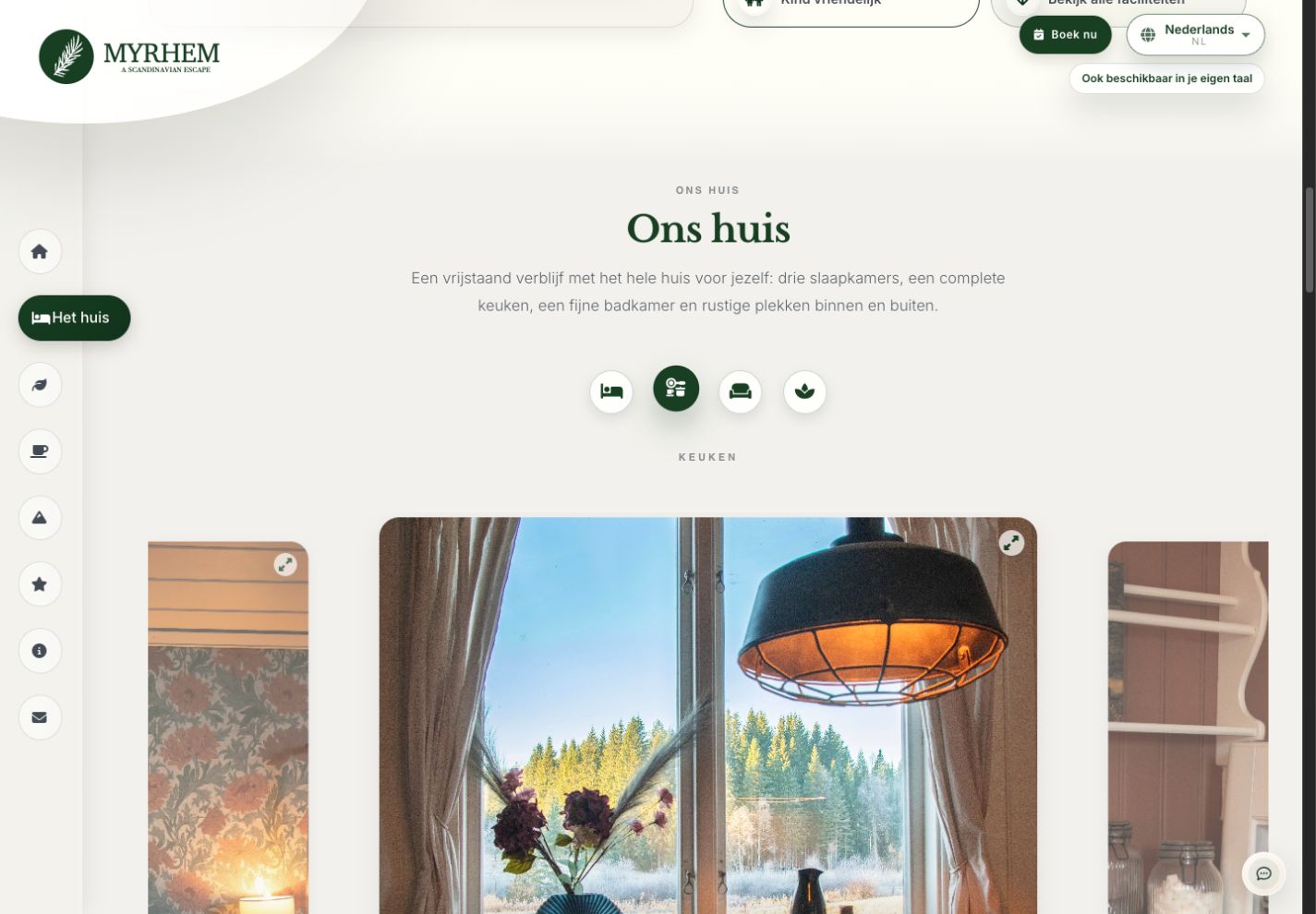
The house gallery
Visitors can switch between rooms and enlarge photographs to explore the kitchen, bedrooms and living space individually.
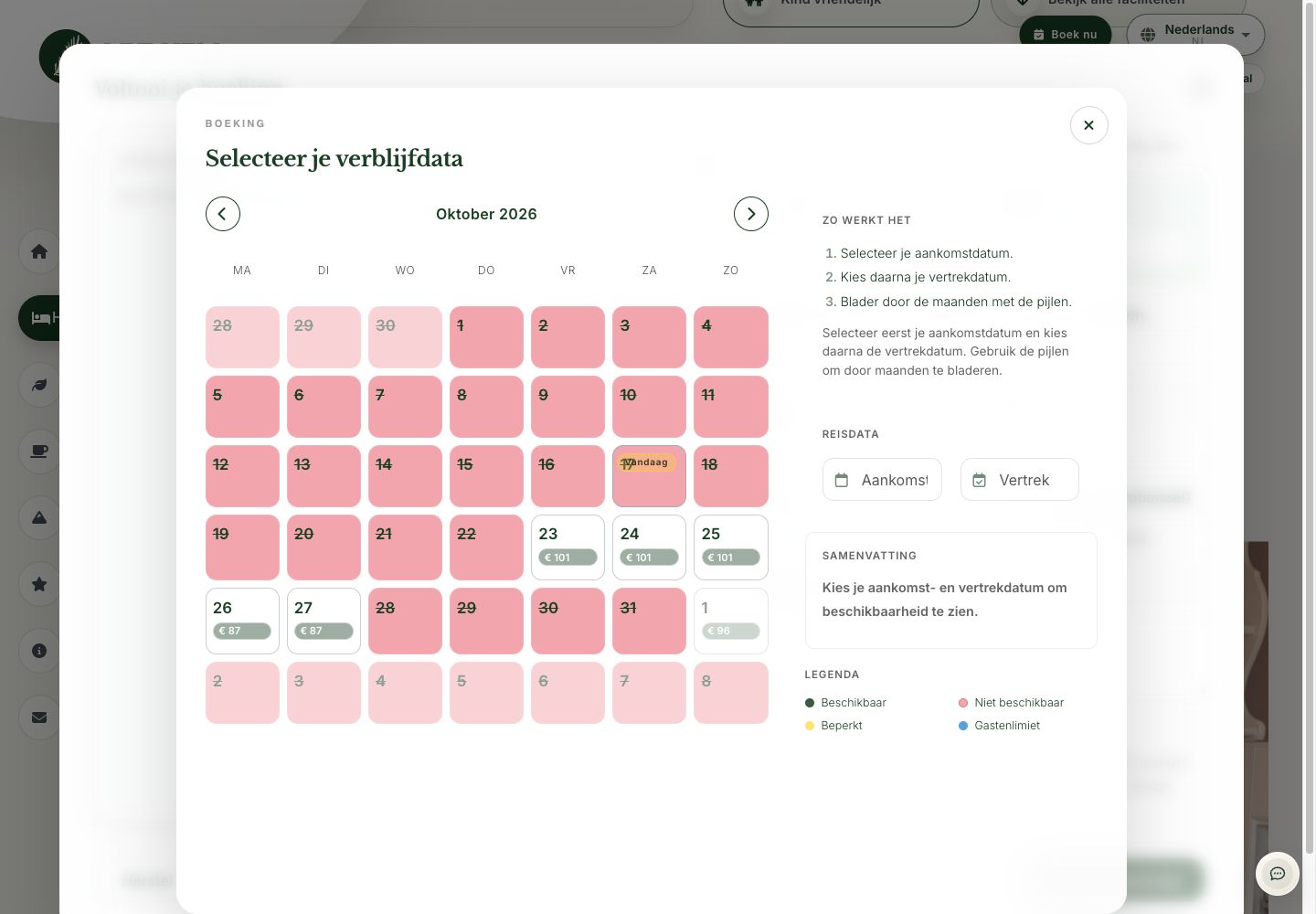
Availability and nightly prices
Visitors choose arrival and departure in the calendar. Available and blocked dates have distinct states. Pricing takes account of season, occupancy and any daily rate overrides.
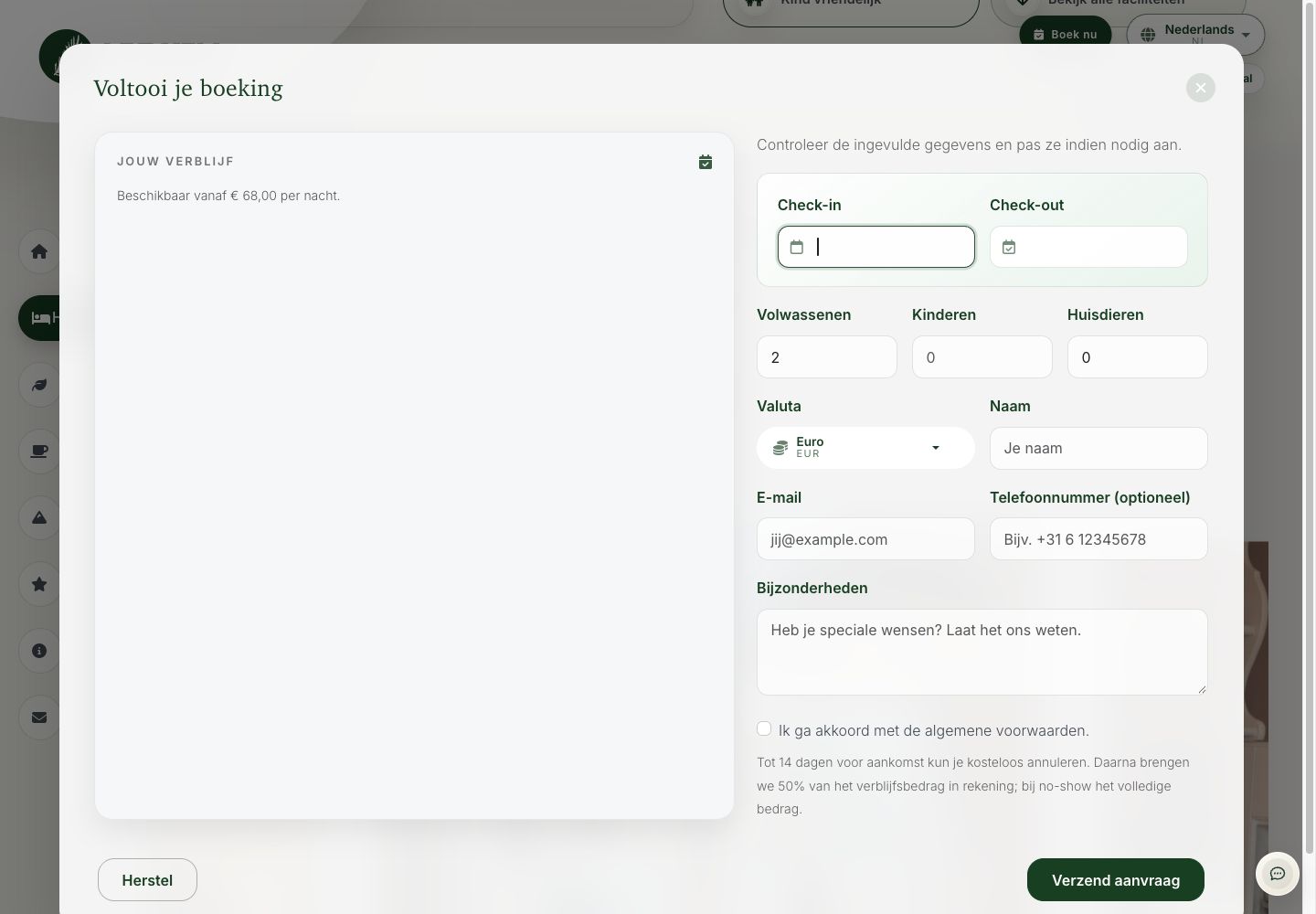
From request to confirmation
After submitting a request, the guest receives an acknowledgement. Personal confirmation of the stay and a separate payment request through Stripe Checkout follow. The first email only acknowledges the request.
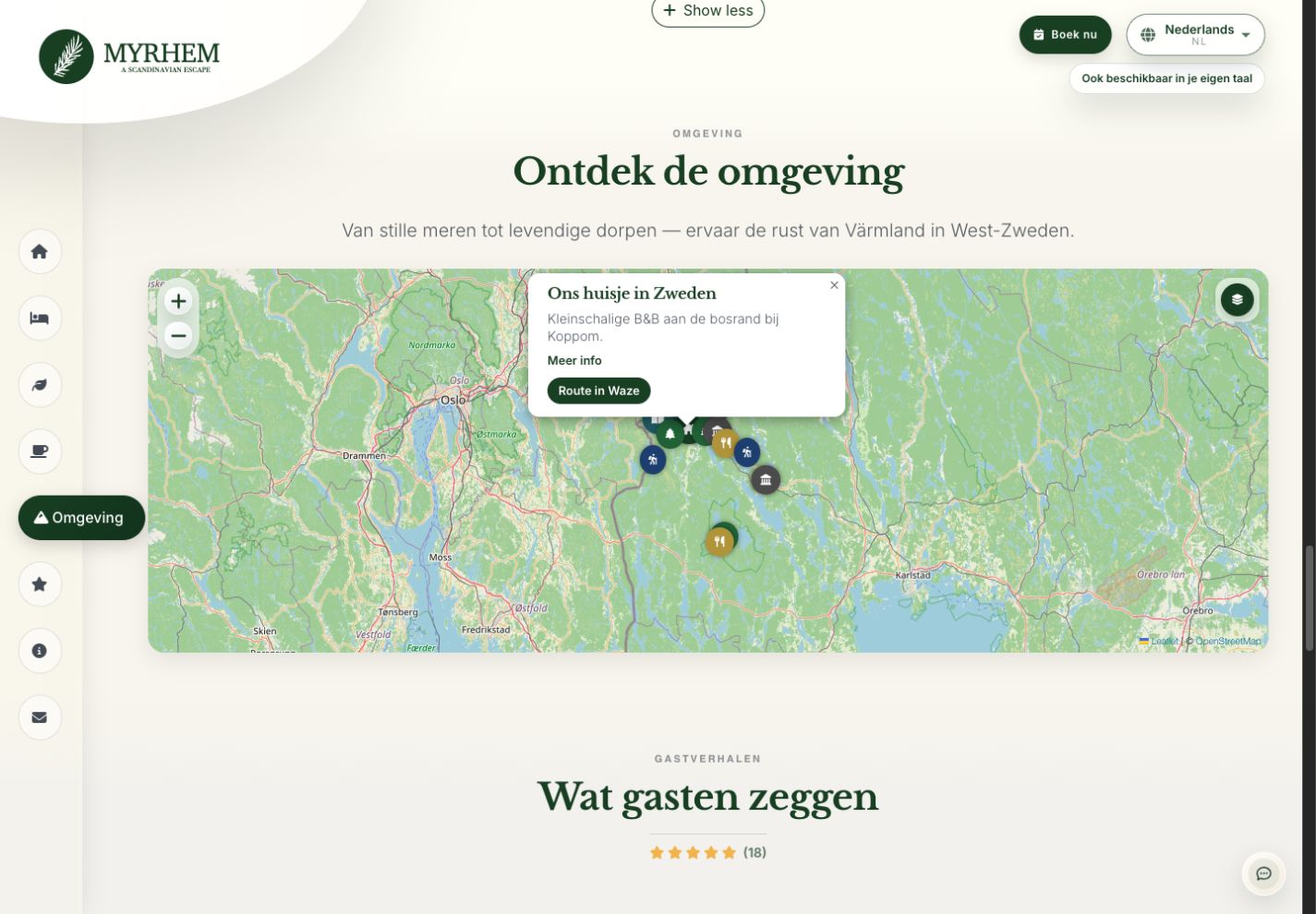
Explore the area
Visitors can explore nearby places on the map and open directions. I used Leaflet and OpenStreetMap, with categories including nature, culture, and food and drink.
Booking on mobile
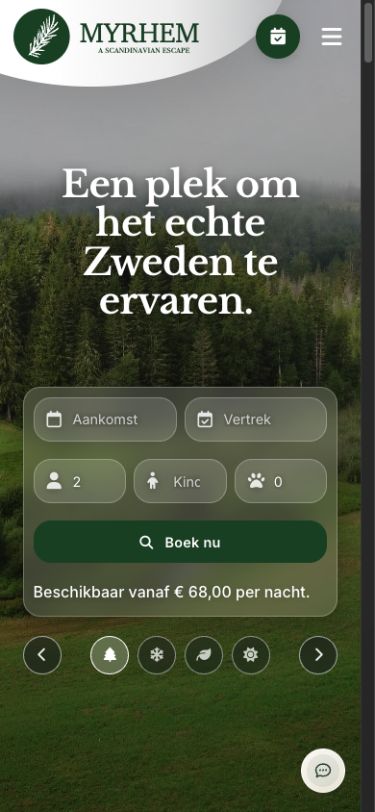
On mobile, the introduction and date selection sit one below the other. The seasonal image remains visible. The different languages share the same content structure.
Information around the stay
Before arrival, the guest area provides directions and practical information. During the stay, it focuses on services and help. After departure, it offers a place to look back and plan another visit.
Edit text on the page
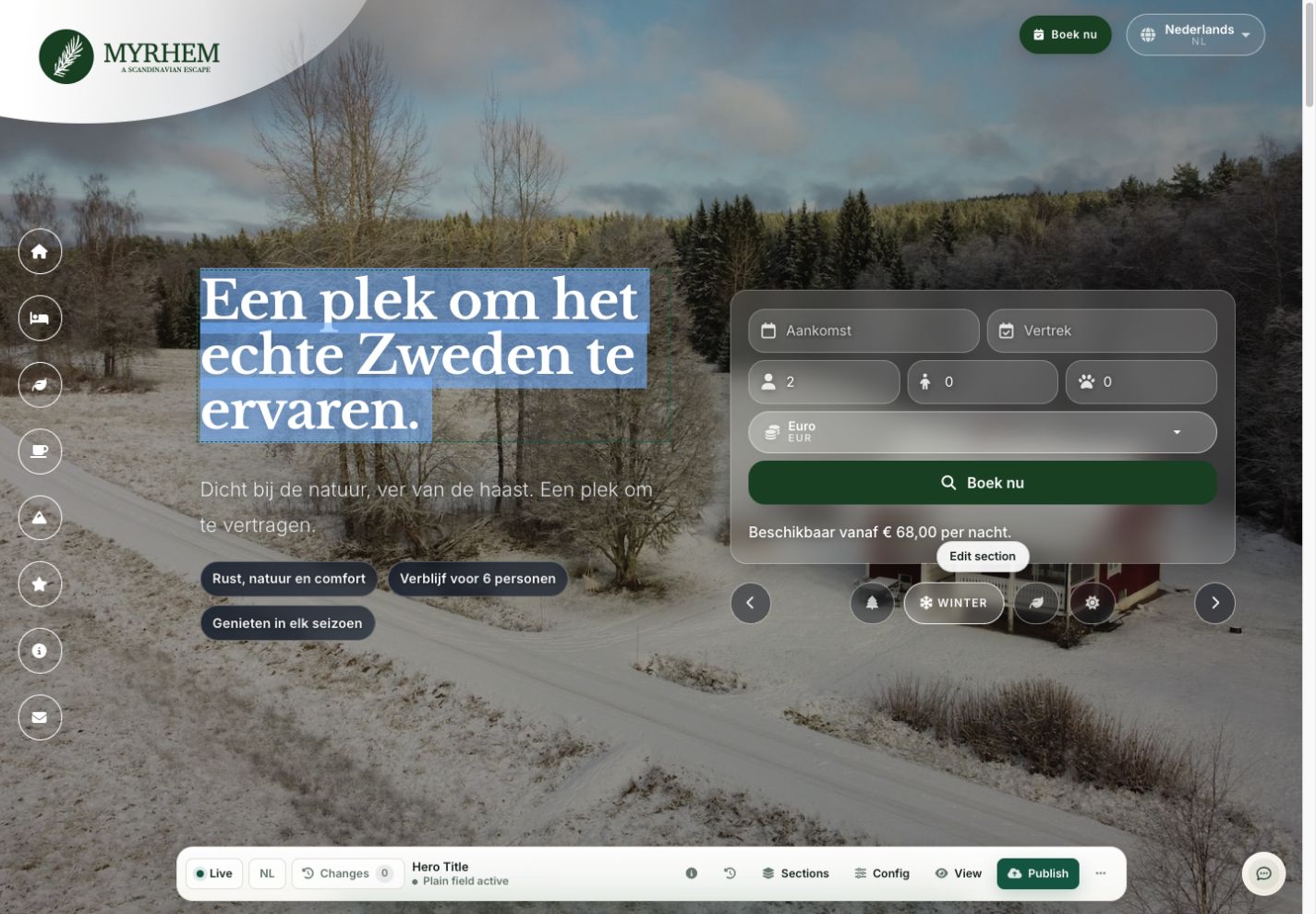
The owner selects text on the website and edits its field. A fixed toolbar shows page status, languages and changes.
Manage seasons
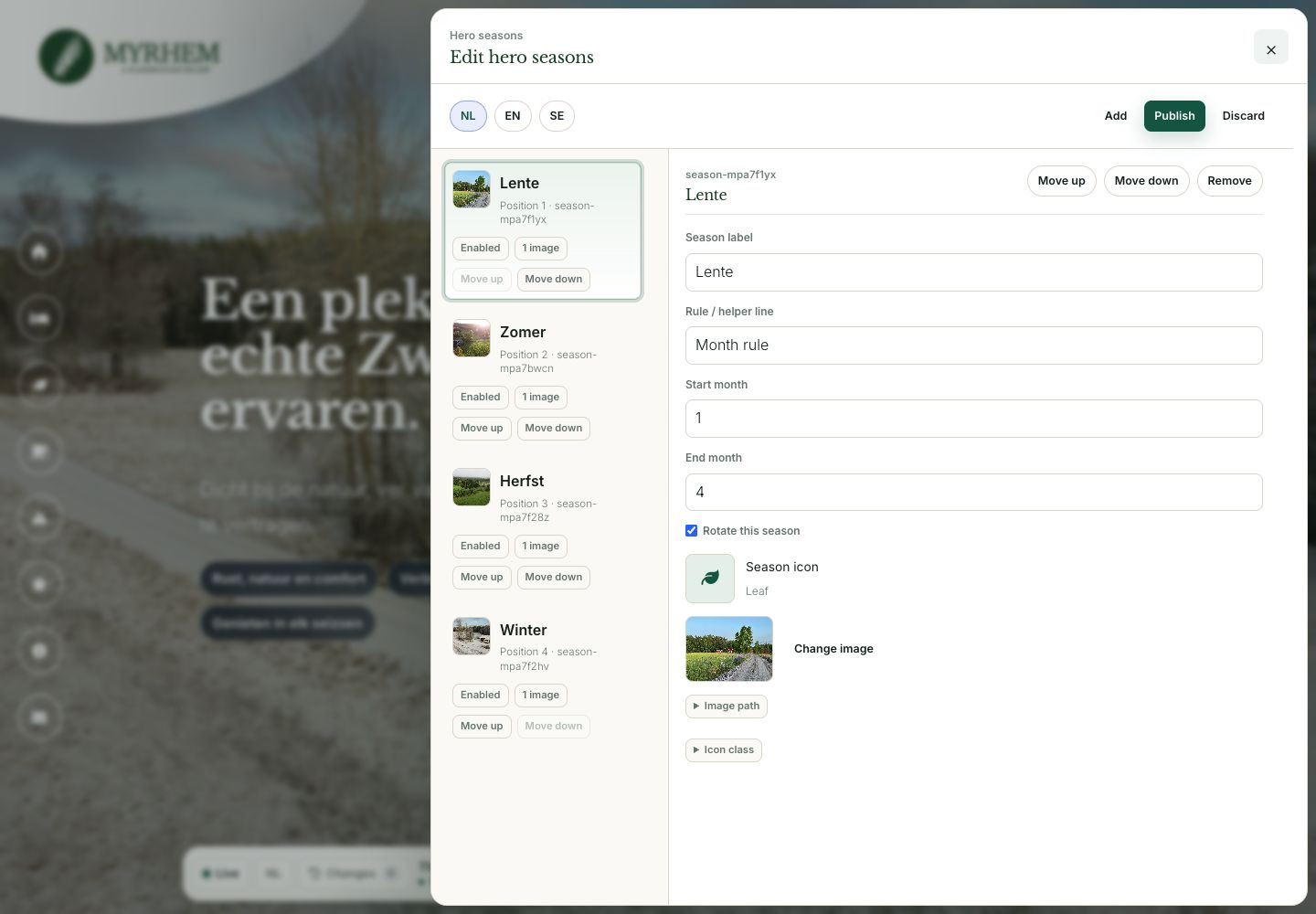
The season editor contains each season’s name, months, icon and image. The editor can switch languages. Changes remain drafts until published.
Manage photographs and rooms
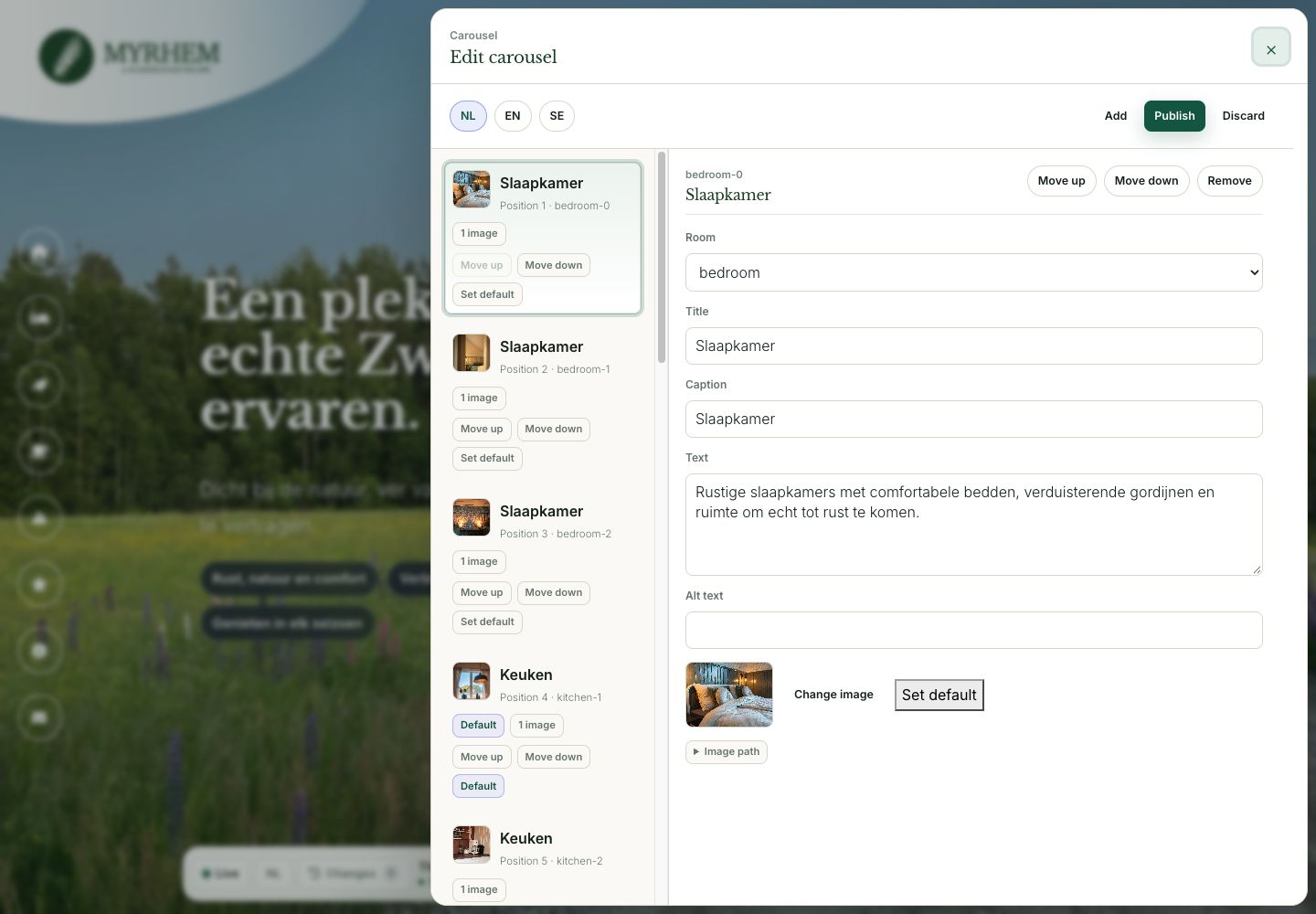
For each room, the owner can edit the title, description, captions, alt text and photographs, as well as their order and default selection.
Used daily, maintained by me
My brother and sister-in-law use the system daily, and I still maintain the back end. I add languages using automatic AI translation. The photography is theirs, not mine. The five direct bookings are a count as of 18 October 2026, not a revenue or conversion measurement.