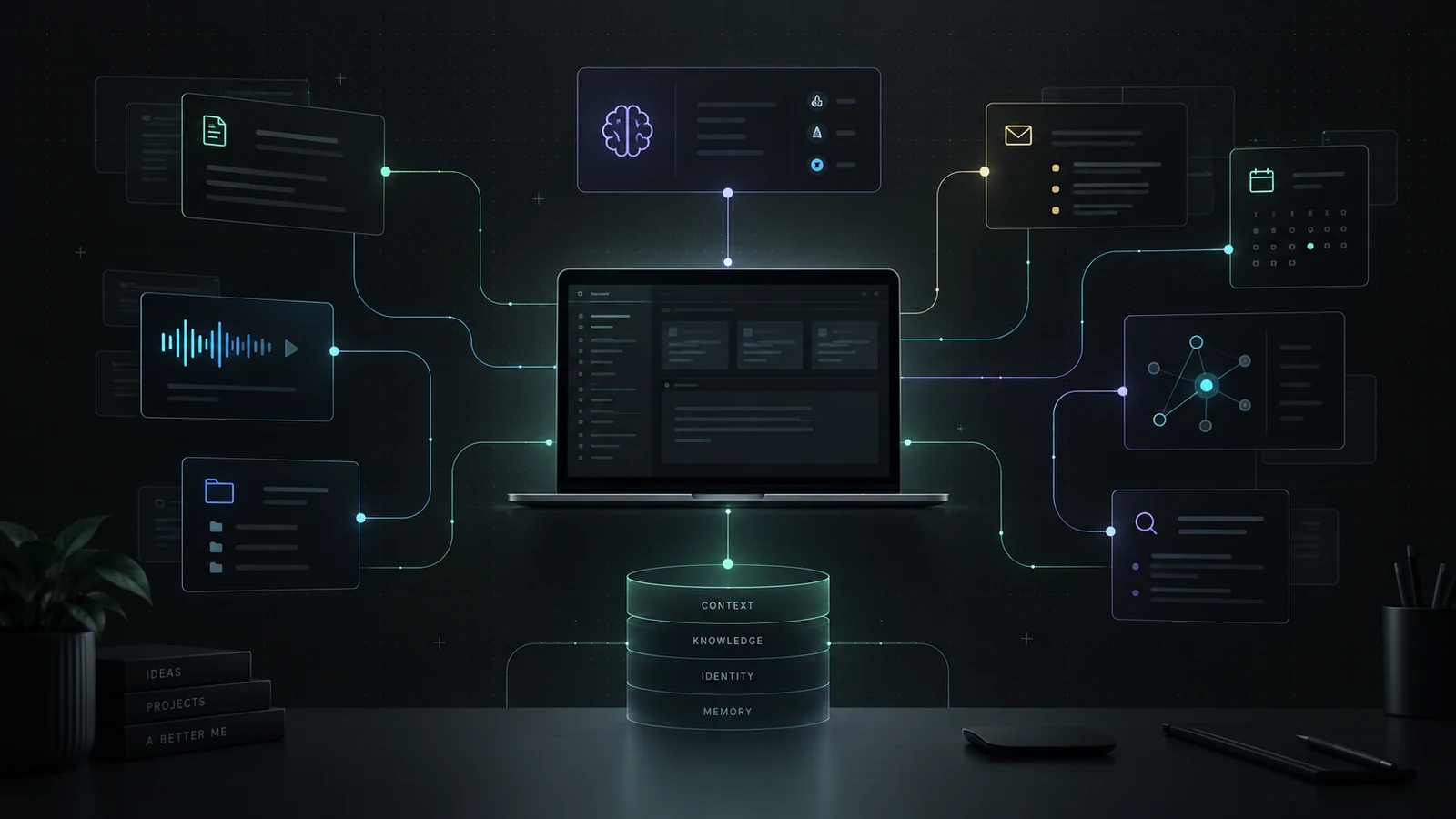
About this article
I am building a personal AI assistant around my Mac, OpenClaw and my own MCP connection. I keep sources, relationships and corrections in a separate knowledge layer.
The examples from 4 October 2026 show how I find a building history report and prepare for a work meeting. The calendar gives the appointment time; an older email provides background.
The technical section covers PostgreSQL, pgvector, RAG and source selection. The route for resuming an earlier task is still in development.
Before AI can answer a question for me, I often spend time explaining what the question is about. The appointment is in my calendar, a change is in an email, my notes are on a reMarkable and the document is on my Mac.
I am building an assistant that can consult my own sources. I call it my Second Brain. I want to find my renovation records or prepare for a work meeting without first copying all the information into a chat myself.
My Mac is the workspace. OpenClaw provides the gateway, and my own MCP connection gives an AI client access to my search tools. I start below with the questions I ask. The architecture and code are in the technical section.
About the examples. The reading rounds took place on 4 October 2026; the technical account follows the version of 5 October. In that version, resuming earlier work, further context loops and parts of local model execution remain development work.
The questions I start with
Two source examples, a limited email selection and a route for resuming work that I am still designing.
Passages from my own records, with their heritage ratings.
4 October example 02Preparing a meeting↗ When is my next work meeting, and what background can I find?A calendar entry alongside earlier correspondence.
4 October example 03Following up email↗ Which conversation might still need a reply?A candidate and a reason to check the later exchange.
Limited reading round 04Resuming work↗ Where did I leave off yesterday?The last decision, the open question and a source to reopen.
In developmentExplaining less from scratch
My test is practical: does this help me prepare for an appointment, recover an earlier decision or open a source I had forgotten? An answer is useful only when I can see what supports it.
From my sources to an answer
My Second Brain setup: capture, connect, retrieve and prepare an action.
All nodes and connections
Software for my own workspace
This project does not have to become a general product. I can shape it around my devices, history and the apps I want to keep using. A close integration with my Mac can be worthwhile for me even if I would never want to maintain it for other users.
I also enjoy the work. I build something for a recurring question, try it and discover what is missing. I am putting that time into an environment I want to use myself.
My renovation records and a work meeting
On 4 October 2026, I asked about my own house records and an upcoming meeting for Vanas. These examples show the sources found and the answers built from them. The address, names and business details are redacted. Times use Europe/Amsterdam.33
What does my building history report say?
I wanted to know which parts of my house had heritage value and what to consider during renovation. Correspondence from 1986 appeared first. It helped establish building history but did not answer what I could change now.
Using files.local_search with bouwhistor, I then found a building history report from 2023. The search covered the document index, Spotlight and local filenames. Three file references did not necessarily mean three independent studies.33
{
  "actionType": "files.local_search",
  "request": {"query": "bouwhistor", "limit": 6}
}
{
  "count": 3,
  "providersQueried": [
    "openclaw.ai_documents",
    "spotlight_local",
    "bounded_local_filename"
  ],
  "results": [{
    "displayName": "2023 06 06 Bouwhistorische verkenning [address removed].pdf",
    "source": "spotlight_local",
    "sizeBytes": 6172492,
    "indexed": true,
    "absolutePathExposed": false
  }]
}
I then searched within the retrieved content for valuation, interior and beam structures. Page 45 contained “Internal valuation”. The passages described mouldings, profiled beams, crawl-space arches and the marble hallway floor.3334
The report gives the historic building mass and the listed interior elements a high valuation. The partition with sliding doors and built-in cupboards receives a positive valuation. Those categories need to remain distinct when I compare my plans with the report.
This summarises report passages; it is not a new building inspection. The valuation also does not by itself define legal protection. The Dutch Cultural Heritage Agency explains that protection of a listed building can cover the entire immovable property, including its interior. Specific alterations and energy improvements call for consultation with the municipality.313234
What this gave me was the relevant parts of my own report in one place. The assistant had to preserve the valuation categories and the study year. Reindexing a 2023 report did not turn it into a new study.
The valuation in my house records
Building-history survey
Historic main volume and mouldings, profiled beams, crawl-space arches and marble hallway finishes: high significance.
En-suite partition with doors and cupboards: positive significance.
Brief factual paraphrase · Wieringa bouwadvies, 2023. Address and original pages not published.
The passage under Page 45
files.local_search
query: "bouwhistor"
count: 3
source: "spotlight_local"

knowledge.search
sectionTitle: "Page 45"
sourceKind: "icloud_drive"
sourceMode: "local_pdf"
Three references do not mean three independent studies.
The report distinguishes high and positive valuations. For specific changes, I also need to establish legal protection and required permission.
When is my next meeting for Vanas?
My next question was: “When is my next meeting for Vanas? Give me a prep.” The assistant first needed to find a work appointment, then retrieve the background.
The calendar query covered 4–6 October. This read used local Apple Calendar data and the Outlook widget cache on my Mac. Reading those records did not use a network connection.33
{
  "actionType": "calendar.range",
  "request": {
    "fromDate": "2026-10-04",
    "toDate": "2026-10-06",
    "limit": 10
  }
}
{
  "sourceAdapter": "microsoft-outlook-calendar-widget",
  "title": "[internal subject line removed]",
  "start": "2026-10-05T08:30:00+02:00",
  "end": "2026-10-05T09:00:00+02:00",
  "allDay": false,
  "location": "Microsoft Teams-vergadering"
}
The appointment found was on 5 October, 08:30–09:00, on Teams. Its subject gave the assistant a starting point for earlier correspondence through meeting.prep, mail.search and mail.get_message.33
The email contained exactly the sort of trap I want to catch. It mentioned a Monday meeting but was received on 28 May 2026. “Monday” could not simply mean tomorrow. The calendar supplied the current appointment time; the email supplied older background.
Suggested preparation: check whether the old comparison still fits the current question, put the assumptions side by side and decide what needs to be resolved in the meeting.
That is a proposal based on the sources, not an instruction quoted from the appointment. I could retrieve the background without treating an old email as a current request.
An October appointment, background from May
Monday 5 October 2026
08:30–09:00
Microsoft Teams meeting
[Internal subject line redacted]
Email from 28 May
An email found about the comparison topic is dated 28 May 2026.
Historical background, not a proven instruction for tomorrow.
AI proposal: check current assumptions and prepare the decision to be made.
The calendar gives the appointment time. The older email gives background; the preparation suggestion is based on those sources.
Finding a guide again
The term monument also found groene_gids-binnengevelisolatie_van_monumenten.pdf through bounded_local_filename. That call located the file without reading its contents. Recovering the guide without remembering its folder was already useful to me.33
What the AI receives for these questions
The model receives targeted tool results: fields, passages, source labels and dates. It does not automatically get my whole drive or screen. Finding a document can require a second call to read it.
These examples show the reading routes used. They do not establish that every question runs vector search, graph expansion and a neural reranker together. No emails were sent and no appointments changed as part of these questions.33
Who is waiting for whom?
A read email can still be waiting for me. A question in one of my sent messages can be waiting for somebody else. I want to see the exchange before deciding who needs to reply.
A limited email selection
On 4 October I used the planner, then mail.search, for a small selection. The search returned four candidates and possiblyTruncated: true, so more email could fall outside the result.36
{
  "actionType": "mail.search",
  "request": {
    "query": "",
    "limit": 4,
    "actionableOnly": true,
    "excludePromotional": true,
    "excludeAutomated": true,
    "excludeTransactional": true
  }
}
For one candidate, I used mail.thread_summary and mail.get_message to retrieve the available content:
{
  "count": 1,
  "threadCompleteness": {
    "messageCount": 1,
    "fullContentMessageCount": 1,
    "possiblyTruncated": false,
    "reconstructionStatus": "bounded_local_records",
    "provenanceStatus": "source_ids_available"
  }
}
The local thread contained one message from 22 September. It asked other people to record something and confirm a choice. That did not establish that I owed a reply. The later exchange needed checking first.36
An assessment with a reason
I want four possible outcomes: probably with me, probably waiting for someone else, probably finished, or insufficient evidence. A flag such as needsReply can find a candidate. The content must support the assessment.
Deciding who needs to follow up
My proposed route reads the exchange before assessing who appears to need to act.
All nodes and connections
A deadline, appointment or commitment can then affect priority. That wider calendar-and-task round is not part of the small example above. I want to bring the existing reading functions together later in mail.followup_candidates.
Where did I leave off yesterday?
A day later, I sometimes remember the topic I was working on but not why I rejected an option. I want to recover the last decision, the open question and the document I can continue with.
I am still designing that route. It starts with a local time window and available traces: changed notes, dated files, browser history, conversations, tasks and repository activity.
Resuming an earlier task
I am designing a route to the last known state, the open question and a source to continue with.
All nodes and connections
Viewing a page is not making a decision. A currently open tab does not show what was open yesterday either. The route needs to distinguish viewed, changed, discussed and decided. The desired answer points back to the source of the last known state.
Connecting to my Mac
I want to keep using Apple Notes, my calendar and existing files. I therefore connect to apps already on my workspace. macOS can allow apps to control other apps with permission; the available functions differ by application.1
For reading, I combine files, exports, app connections and, where useful, local SQLite databases or caches. A cache can lag behind, and an app update can change its format. An empty result does not automatically mean the information is absent.
A suitable API remains an option too. For changes, I use app functions or automation. Being able to read an internal app database is not a reason to write directly into it.
Notes on the device I have with me
Apple Notes already gives me a reading and editing app on my Mac, phone and iPad. Notes in iCloud can sync between those devices when they share an Apple Account and Notes is enabled. “On My Mac” notes are outside that route.151617
That saves me building a note editor and mobile sync. Handoff also helps me continue in supported apps on another Apple device.18
My knowledge database does not sync automatically with it. An edit must reach the Mac and then pass through my own processing. The connection, sync and next processing round determine when it reaches the knowledge layer.
Apple Notes across my devices
iCloud syncs the note. My Mac handles the additional processing.
All nodes and connections
OpenClaw and my MCP connection
MCP, the Model Context Protocol, describes how an AI client uses exposed tools and context. My MCP server makes my own environment’s functions available. The protocol does not decide how I organise knowledge.2
OpenClaw is the gateway for clients, channels and agents. I build my source adapters, knowledge layer and working rules around it. Those additions are not automatically standard OpenClaw features.3
The parts of my environment
OpenClaw provides the gateway. My source adapters, knowledge and working rules sit alongside it.
All nodes and connections
Which parts I build myself
Reusing the gateway
I use OpenClaw for the infrastructure that routes requests and organises execution. That lets me spend my time on the information I need: the right document, the right person and the history of an appointment.3
My own knowledge layer
I decide how sources, people, versions and decisions fit together. Source selection, search logic, corrections and my working rules sit behind my own MCP connection. I want to carry those choices to another AI client too.
Reading and executing
Reading a calendar and moving an appointment require different permissions. For actions with consequences, I want a concrete proposal and the approval my policy requires. OpenClaw provides execution approvals; app permissions and my adapters retain their own responsibilities.37
Choosing another gateway later
I expect integration work when switching. What I want to retain is the sources, relationships, corrections and history in my knowledge base. That needs exportable structures, versions and recoverable backups. Changing the embedding model also requires its own migration.
Writing, typing and recording
My notes start in different places. I write by hand on reMarkable, with content and exports available through its desktop app. I organise the retrieval, extraction and connections to my other sources myself.4
PLAUD is an audio source. Its export options give me a route to my own processing, while the transfer can still depend on PLAUD software.5
I am also designing a notetaker for conversations on the Mac. I want these inputs to feed the same knowledge environment, so choosing a pen or a microphone does not determine where I have to search later.
From a note or recording to my knowledge layer
Handwriting, recordings and conversations on the Mac each have their own input route.
All nodes and connections
The audio connection, import counts and my experience with sync are in the PLAUD article.
From a voice to a known speaker
My notetaker design starts with transcription. Whisper can run locally on Apple Silicon through whisper.cpp. The surrounding application has to organise audio segments and timestamps.6
NVIDIA Nemotron 3 Diarization is assigned the task of finding speaker changes. It supports streaming and offline processing and produces speaker labels. A label is not yet a name from my contacts.7
That needs a separate comparison with known voice profiles through speaker embeddings. An attendee list helps find candidates but does not establish whose voice it is. When uncertain, the identity stays unknown or needs confirmation.8
A confirmed speaker can then connect to a contact and the related email, appointment and previous notes. Transcription, diarization and identification remain separate components.
Transcription, speaker labels and identity
My notetaker design separates recognising words from identifying people.
All nodes and connections
Reading a conversation again
After a brainstorm, I want ideas and trade-offs. After a technical meeting, I am more likely to look for decisions and responsibilities. I want the note format to suit the conversation and remain easy to correct.
Apple Notes is the intended reading app. It needs to show what was said in the conversation, what came from an earlier source and what the AI is proposing. My corrections should then return to the knowledge base with their source and version.
Looking back at a workday
Where was there space in my calendar?
On 4 October I retrieved the calendar for Tuesday 22 September 2026. This reconstructs that schedule; it is neither an automatically delivered morning briefing nor a time sheet. Client names have been replaced with project letters.38
Within a chosen 08:30–17:00 work window, six timed blocks added up to six hours. One project block led directly into a demo. The open time was scattered through the day.
What else fitted on 22 September?
The six calendar blocks were retrieved on 4 October. Preparation, wrap-up and lunch below are added planning assumptions.
The day, in order
-
09:00Request for quotation · project ASource: calendar30 min+
Half an hour reserved for a request for quotation. No claim about completion.
-
09:30Project B · calendar blockSource: calendar30 min+
Half an hour with project B as its subject. A later work block names the same project.
-
10:00Calculated gapUnallocated in the retrieved calendar30 min+
30 minutes between the project block and its follow-up work; both refer to the same project name.
-
11:15Project work · project BSource: calendar1h 15+
75 minutes explicitly reserved for project B work. Do not add it again as an extra task.
-
11:45Calculated gap11:15–11:30 Demo preparation · 15 min30 min+
30 minutes before follow-up. In this proposal, the first half is for demo preparation.
-
12:30Follow-up · project CSource: calendar45 min+
45 minutes reserved for follow-up. The contents and customer identity remain private.
-
13:00Calculated gap12:30–13:00 Lunch break · 30 min30 min+
30 minutes. In this proposal, it is the lunch break.
-
14:30Project email + preparation · project DSource: calendar1h 30+
90 minutes for project email and preparation. This is scheduled work, not an extra obligation on top of the calendar.
-
16:00Internal demo · TeamsSource: calendar1h 30+
A 90-minute demo via Teams, immediately following the preceding block. There is no gap for preparation.
-
17:00Calculated gap16:00–16:15 Demo wrap-up · 15 min1h+
60 minutes after the demo. With 15 minutes for wrap-up, 45 minutes remain here.
The project block ends at 14:30 and the demo starts immediately afterwards. The proposal therefore reserves fifteen minutes at 11:15.
The 23 September calendar contained 4 hours and 46 minutes of travel, a presentation block and a visit. The briefing therefore suggests gathering missing input on Tuesday.
Open time is not always usable work time
As a planning proposal, I added fifteen minutes of demo preparation, fifteen minutes to wrap up and half an hour for lunch. Work and a break then took seven hours. Ninety minutes remained, split across three blocks:
| Gap in the source calendar | Planning proposal | Remaining after the proposal |
|---|---|---|
| 09:30–10:00 | Leave unallocated / short follow-up | 30 min |
| 11:15–11:45 | 15 min demo preparation | 15 min |
| 12:30–13:00 | 30 min lunch break | 0 min |
| 16:00–17:00 | 15 min demo wrap-up | 45 min |
That leaves room for a thirty- or forty-five-minute task. A task needing ninety uninterrupted minutes would require moving something. The allowances came from the proposal; they were not in the calendar.
The source behind the calculation
After a query covering 21–27 September, calendar.range retrieved Tuesday separately. The read used apple-calendar-sqlite, returned eight source rows and reported no truncation.38
{
  "actionType": "calendar.range",
  "request": {
    "fromDate": "2026-09-22",
    "toDate": "2026-09-22",
    "limit": 20
  }
}
{
  "count": 8,
  "possiblyTruncated": false,
  "windowMode": "explicit_date_range",
  "sourceStatus": "searched",
  "networkUsed": false,
  "sourceDiagnostics": {
    "calendarAdapters": [
      "apple-calendar-sqlite"
    ]
  }
}
Six rows were work blocks. Two described the same multi-day informational event, so they were not counted as two extra appointments. Actual attendance would change the calculation.
The week query also showed 286 minutes of scheduled travel on Wednesday. That supported the suggestion to gather missing input on Tuesday. This retrospective did not include that morning’s email or tasks, and the calendar remained unchanged.38
Connecting sources
My local knowledge base uses PostgreSQL with pgvector for vector search. Relevant passages can be retrieved before generating an answer: retrieval-augmented generation, or RAG.9
I also record relationships between people, conversations, documents, projects and decisions. Suppose a later email changes an earlier material choice. For “what applies now?”, I want both sources and the reason the choice changed. That is an example of the relationship I want to follow.
Each relationship needs a source, date and status: confirmed, inferred or uncertain. The graph helps with search, but a line between two records does not establish that the connection is true. I describe result selection further below.
A decision and its sources
An illustrative renovation example shows the relationships I want to follow.
All nodes and connections
Contact details from an email signature
A smaller example is a name or phone number in an email signature. I want a proposed address-book update that is first compared with what is already known.
Its origin needs to stay attached. A forwarded signature can belong to somebody else, and an old job title may have changed. Only after that check would I want to connect the contact with conversations, email and appointments.
A contact suggestion from an email signature
Comparing a name or phone number with my address book before adding it.
All nodes and connections
Why I add my own connections
ChatGPT and Claude already combine apps and sources. I use those building blocks too. My choice to build an environment of my own is about where I keep relationships, source status, corrections and working rules.1011
I want to decide which document version applies and when two sources refer to the same person. A standard connector can expose a source; my search layer decides how to select that information alongside other sources.
Trying a different model
I want to keep my sources, relationships and corrections outside a single chat session. Another client can then access them through a suitable adapter. Memory import and export, such as Claude offers, can also help with a switch.12
That does not produce identical answers. Models differ in their use of context and tools, so I need to try and check those behaviours again. Information left only in an old chat does not move automatically.
The same arrangement leaves room for local models on particular tasks. It does not make the whole environment offline: sync services, external models and channels such as Telegram still have their own connections.
The same sources with another model
I keep my context outside the model and connect clients through suitable adapters.
All nodes and connections
From an answer to an action
From a retrieved source, I want to prepare a draft reply, open a note or suggest a task. The MCP setup includes specific functions for actions, memory updates and feedback.28
Telegram is a channel for proposals and approvals in my setup. OpenClaw can route execution requests there for review. For a change, I want to see what I am about to allow; a simple permitted read need not interrupt me every time.13
Maintaining the connections
Apps and file formats change. When search fails, I want to know whether the cause is the source, sync or adapter. Technical feedback gets a separate maintenance route.
Through OpenClaw, I want to turn that report into a small repair task. Codex can investigate, edit and test relevant code through the CLI. Before a change reaches my working environment, I want to review what it changes and what it affects.14
After an edit, the original question needs checking again. A missing macOS permission, for example, needs a different fix from a changed database field.
Saving a correction or repairing a connection
My personal corrections and technical problems follow separate routes.
All nodes and connections
Technical detail: from source to answer
This is how I separate the layers. The earlier examples show concrete reads. This overview also includes design choices for further development; not every search route runs for every question.
A. Interfaces and app access
An AI client discovers MCP tools through tools/list and uses tools/call. inputSchema defines input; an optional outputSchema defines structured output. My bridge translates calls to OpenClaw and source adapters. MCP transports such as stdio or Streamable HTTP are separate from OpenClaw’s WebSocket control plane.1920283
Adapters can control scriptable apps through AppleScript or JXA, use native frameworks or read local data. NSWorkspace can identify the frontmost app; EventKit exposes calendars and reminders. The adapter must identify whether it returns a filename, metadata or content.212223
With SQLite in WAL mode, recent data can still be in the write-ahead log. Copying only the main file is therefore not a general snapshot method. The reading route needs a consistent transaction or suitable backup within the service’s macOS permissions.242526
The examples include source labels such as spotlight_local, icloud_drive, microsoft-outlook-calendar-widget and apple_reminders. The availability of EventKit does not mean those particular reads used it.33
The route of a tool call
Client, MCP, gateway and adapters each have their own interface.
All nodes and connections
B. Ingestion and derived data
Ingestion detects changes, extracts content and builds searchable representations. Text chunks, tables and relationships can be updated separately.
Sources → detect changes → extraction + source metadata
                         ├→ text chunks → embeddings
                         ├→ sections, tables, lists and content objects
                         └→ entities, relationships and observations
                            ↓
             search indices + versions + quality + freshness
PostgreSQL holds document records, content objects, entities, relationships and observations. Source IDs and versions connect those records to the original content. Chunks, embeddings and indexes are derived from it.927
When reprocessing, I want to update changed representations, mark old versions and avoid duplicate records. Deletions and withdrawn sources need to propagate too. A Notes correction must reach the Mac before ingestion can process it.1516
The generative model, embedding model and any neural reranker are separate components. A different embedding model can require reindexing; matching vector dimensions do not make two embedding spaces interchangeable.30
C. Meaning, identity and time
The question determines intent, person, topic and time window. “Yesterday” becomes a local date; “last conversation” refers to conversation time. A stable contact ID is stronger evidence than a matching name or shared mailbox.
Source permissions, explicit person IDs and required date ranges constrain selection. A high semantic score must not override them.
D. Different search routes
Exact and full-text: names, terms, filenames and numbers. PostgreSQL full-text ranking is not automatically BM25.29
Vector: content that discusses the same subject in different words. Similar meaning does not establish identity or an exact part number.9
Structured: sections, tables and lists with headings, row context and units. Graph: search through supported relationships, with limits on type and depth.
Memory and apps: preferences, corrections, email, calendars and conversations. The question determines the route. Current news needs an additional external source; a local index does not provide it automatically.
E. Combining and ranking results
I combine candidates by source identity and preserve their location and retrieval route. Copies of one source do not count as independent confirmation. Text scores and cosine similarities cannot simply be added together; rank fusion is one possible way to combine routes.9
Reranking reassesses retrieved candidates for the question. My scoring uses relevant terms, exact entities, provenance, relationships and time, among other signals. Duplicates, noise and conflicting versions can be ranked lower.27
For “who did I last speak to?”, a dated conversation can belong above a recent newsletter. A separate cross-encoder is a possible additional step, not something established by the presence of a ranking score. The score itself is not a probability of truth.30
F. Dates, versions and provenance
Event time, validity period, source modification and indexing time mean different things. An old decision can still apply; a new draft may not replace it yet. A refreshed index of a stale cache still contains stale information.
I group duplicates, versions and derived copies. An email, export and AI summary can share one origin. Near-identical versions still need comparison: the changed number may be the answer.
A claim needs a supporting passage, table cell, message or timestamp. A link to a document on the same subject is not enough.
When did it happen, and what applies now?
Event time, source modification and indexing time mean different things.
All nodes and connections
G. The evidence package for the model
Selected material goes into a bounded context package. Passages retain the headings, versions and references needed to read them. Dates, units, negations and exceptions need to survive shortening.
Answerability asks whether the sources support the requested conclusion. Coverage asks which parts of the question are covered. Finding the appointment alone does not complete the preparation.
H. Searching again with a purpose
A missing piece can justify another query: resolving a transcript name, searching email for a project alias or retrieving later replies. The new results are then assessed again.
I bound that loop by rounds, time and tokens. If a round adds nothing, repeating the same broad query does little.
Question → intent + identity + time + constraints
         → routed hybrid retrieval
           [exact/FTS | vector | structured | graph | memory | apps/web]
         → candidate fusion → reranking
         → context package → answerability + coverage
         → answer, or targeted retrieval within budget

Throughout the pipeline:
source selection · freshness · validity · quality · dedupe · provenance
From a search question to useful sources
The question determines which search routes are needed. Results are then assessed together.
All nodes and connections
I. From an answer to a proposed action
An answer does not grant permission to send email, change an appointment or deploy code. Those actions follow their own permissions and approvals. App changes use suitable app functions.1337
The combinations below are possible routes using the building blocks in my registry. They describe intended results; connected sources determine what an execution can deliver.28
| User question | Possible route through the interface | Intended result |
|---|---|---|
| What was I working on yesterday? | personal.search and knowledge.search, supplemented by available conversation history and dated activities | Topics, decisions and where to pick up again |
| Which email conversations still appear to need something from me, and which first? | mail.search → mail.thread_summary / mail.get_message → targeted calendar and task context | Evidence-backed assessment of whose turn it is, priority and uncertainty |
| Prepare my next meeting | calendar.next → contacts.resolve → mail.thread_summary / meeting.prep → rag.context_package | Current appointment, changes since the previous contact and open questions |
| Who did I speak to about packaging machines? | meeting_search → meeting_transcript → contacts.resolve / person_meetings → knowledge.graph_search | The right person, conversation time and supporting source |
| Which news affects my projects? | profile.context + project context → current external search or feed adapter → selection and deduplication | New development, personal relevance and source |
| Remember this correction | profile_remember with a targeted update | The same correction available through the next client |
| Improve this interface or retrieval route | product_feedback_append → development route through OpenClaw → Codex → tests and review | A bounded improvement checked against the user question |
J. Finding the cause of a failure
I want visibility into source freshness, extraction coverage, index status, queues, graph delay and tool errors. That helps trace an empty result to its source or processing stage.
For changes in search quality, I want fixed, non-sensitive reference questions. Exact matches, valid decisions and the contribution of a second search round need different checks from counting documents.
After a repair, the original user question needs trying again. The client matters too: changing a server does not automatically refresh the tool definition known to the AI client.10
Why I spend time on this
I know which information I keep gathering again and which apps I want to use. Building the connections myself lets me start with my own questions. It also shows me where a tidy architecture still falls short in use.
A starting prompt for the project
The prompt below helps a coding agent first document the existing environment and the questions it should support. Decisions, instructions and one small working route follow. It is a starting point to adapt to your own situation.
Starting prompt for your own AI environment
Map the workspace and the question to support. Record the decisions, then build one small route.
- Discover
Environment, sources and real user questions.
- Document
Architecture, ADRs, evidence and AGENTS.md.
- One slice
Minimal boilerplate, with tests and provenance.
Read the starting promptMARKDOWN
Opening or copying it here runs nothing. Use it in the workspace you want examined, with the permissions appropriate to that task.
Starting with one question
If you want to try this, I would choose one question that keeps sending you into several apps. Preparing an appointment from your calendar, email and notes is one example. First check whether that one route finds the right sources.
Then add another source. Keep track of development time, maintenance, hardware and model use too. Your own knowledge layer is worthwhile only if you want to keep using and maintaining it.
What I want to work on next
The house and meeting questions show why I am building this. I can start with my own sources, their dates and their history. Next I want those connections to help when following up a conversation or resuming an earlier task.
I am happy to try a different model. I want to keep using my own context when I do.
Sources & methodology
Sources for the setup and reading rounds of 4 and 5 October 2026. Examples and designs have their own dates and status.
Mac app automation and the permissions it requires.
The protocol for exposed tools and context.
The gateway for channels, clients and agents. My knowledge layer sits outside it.
Desktop viewing and export of reMarkable notes.
Exporting recordings and results for subsequent processing.
Local Whisper execution, Apple Silicon and streaming-audio processing examples.
Model card for diarization. Identifying people requires a separate step.
Identification and verification through speaker embeddings are separate tasks, requiring known profiles and decision rules.
Vector search combined with full-text search. The graph is modelled in the independent knowledge layer.
MCP apps and refreshing and reviewing changed tool definitions.
Custom MCP connectors and research using multiple sources.
Importing and exporting memory between AI environments.
Execution approvals through channels including Telegram; configuration determines the actual route.
Codex CLI for investigating and changing code. The maintenance pipeline described is my design.
The same Apple Account, Notes sync and access from iPhone, iPad, Mac and the web.
Creating, editing and syncing notes through iCloud.
On My Mac notes are local; iCloud notes depend on account and sync settings.
Supported devices, apps and settings for continuing work on another device.
The referenced protocol version covers discovery, tools/call and input and output schemas.
stdio and Streamable HTTP. The OpenClaw control plane and MCP transport are separate layers.
Identifying the frontmost app through NSWorkspace.
EventKit for calendars and reminders; a different route from the widget and SQLite reads shown.
AppleScript, JavaScript for Automation and shell as general macOS building blocks.
Consistent snapshots and backups as a basis for adapter design.
WAL companion files are part of current state. Copying only the main file is not a universal snapshot solution.
Permission and service identity matter for native automation.
My retrieval design, with the MCP registry and ranking metadata as background.
Tool metadata retrieved on 4 October 2026. The registry describes building blocks, including aliases; the examples show executed combinations.
Full-text parsing and ranking, including ts_rank and ts_rank_cd. PostgreSQL FTS is not automatically BM25.
Candidate selection with a bi-encoder versus joint query-passage evaluation with a cross-encoder. The custom ranking step is not automatically a neural model.
Consulted on 4 October 2026. Protection of the whole immovable property, including the interior, not only components named in the register description.
Consulted on 4 October 2026. Early municipal consultation and assessment of changes affecting heritage significance.
Selected reads from 4 October 2026. The appendix preserves technical fields and records the redaction of private details.
Indexed passages from the 2023 report, including Internal valuation under Page 45. The appendix contains a short paraphrase; the address and original PDF remain private.
An explanation of which source details are shared or redacted in the examples.
Email search and a local thread read on 4 October 2026. Selected fields and a short paraphrase preserve the limited coverage.
Execution approval alongside tool policy and host permissions. Approval does not replace access control.
Two calendar.range reads on 4 October covering 22 September and the surrounding week. The appendix separates calendar times and planning assumptions.